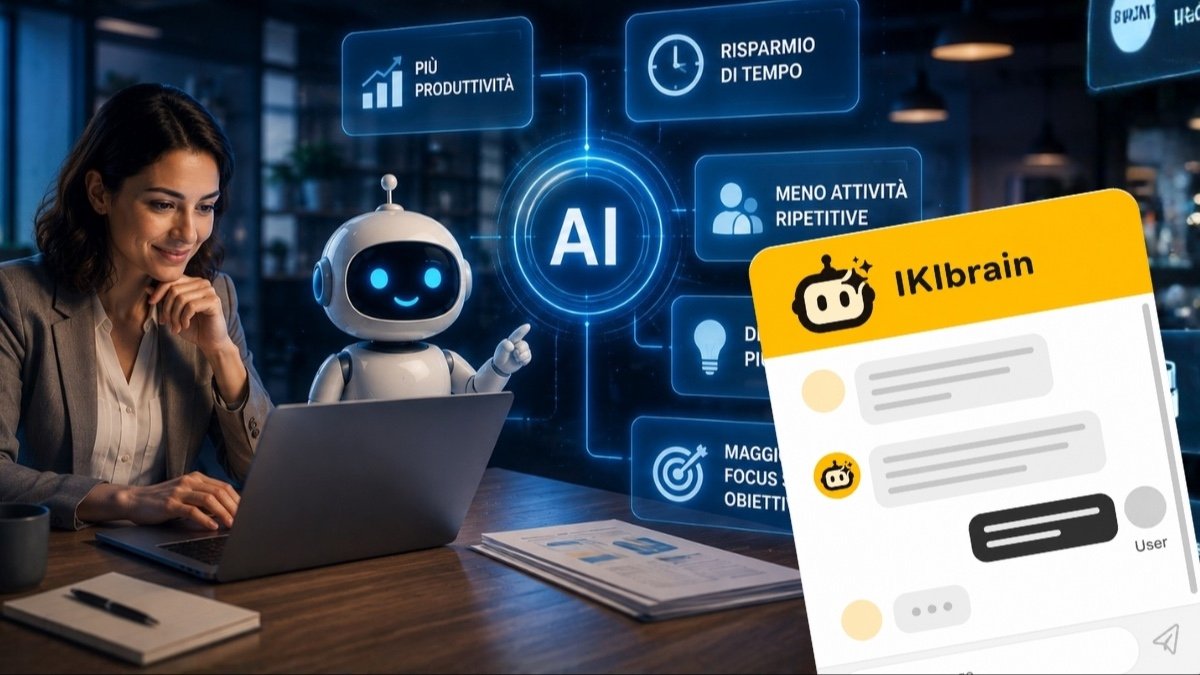
There is a very common idea about artificial intelligence at work: that it mainly helps you write faster, summarize documents, or generate images. That is not wrong, but it is a narrow view. If you stop there, you are using AI as a personal helper. The real jump in productivity in a business happens when it becomes part of everyday processes.
In the end, it makes little difference if someone writes an email in 5 minutes instead of 10, if they still keep losing time searching for information, answering the same questions, sorting incomplete requests, or tracking down documents scattered across the website, PDFs, and email. It is in these repeated, small but constant steps that delays and interruptions build up.
Understanding how to use artificial intelligence to increase productivity in a business means starting right here: with the areas where it can make a real impact on day-to-day work and save valuable time.
How artificial intelligence can be used at work
When people talk about AI in business, the range of uses is much broader than writing alone. It can help draft and edit documents, summarize information, analyze data, classify communications, support sales, and lighten the load on customer care.
The important difference, though, is this: using an AI assistant as a personal tool is one thing, while placing it inside a real workflow and optimizing business processes is another. In the first case, it helps one person do what they already do, just faster. In the second, it changes how a request moves through the company: who receives it, what information is needed to handle it, and how many manual steps are required before it is closed.
That second scenario is where virtual assistants connected to business tools come into play. Beyond generating text, they use information already stored in the company to give relevant answers, understand the type of request, and move a process forward instead of stopping at a single reply.
Artificial intelligence increases productivity when it removes repetitive micro-tasks
People often imagine that AI’s advantage lies in replacing complex tasks. In many businesses, however, the most concrete gain comes from something else: removing hundreds of small repetitive tasks that break the rhythm of the day.
Think about how often you or your team do the same things over and over: looking up information in a PDF, answering the same customer question for the hundredth time, checking which procedure applies to a specific case, or carrying out a routine action to help a stuck customer.
Each of these tasks takes little time on its own. But together they consume hours and focus, and above all they interrupt important work. Someone who stops to answer a simple question does not lose two minutes: they lose two minutes plus the time needed to get back into what they were doing. When you are doing something else and the phone rings, you have to stop, shift your attention from one task to another, and when the call ends, pick up where you left off.
AI works especially well here, where three conditions are present: a recurring pattern, a reliable knowledge base, and a clear sequence of steps. That is why productivity does not improve only when you “do more.” It also improves when you reduce interruptions, cut down manual steps, and make it faster to access what you need to work.
Company knowledge becomes accessible when you can ask for it in natural language
Every business already has a wealth of information. The problem is that it is often scattered: website pages, FAQs, catalogs, price lists, manuals, internal procedures, presentations, sales documents, old emails with the right answers.
As long as this information stays spread across different places, work slows down. Not because the answer is missing, but because nobody can find it quickly. And so people end up asking the colleague who “always knows where to look,” with the result that a few people become the bottleneck for everything.
Here artificial intelligence can do something very useful: turn this documentation into a searchable knowledge base that can be queried with simple, natural-language questions. Instead of opening folders, searching attachments, or browsing PDFs, you get to the point much faster.
For example: “What is the procedure for this type of request?”, “What documents should I ask the customer for?”, “Does this service include support?”, “Does the warranty cover this defect too?” If the knowledge is well organized, the answer no longer depends on people’s memory and becomes available to everyone, easily and in a few seconds.
That is the principle behind RAG systems (Retrieval-Augmented Generation), the mechanism behind most serious business assistants like our IKIbrain. Put simply: before answering, the system searches the Knowledge Base for content relevant to the question and gives it to the assistant as context for building the reply. In this way, the assistant does not work only from what it learned during training, but from the real documents you made available.
Of course, the quality of those documents remains decisive: if a procedure is unclear or outdated, the answer will be too. If you want a clearer picture of how this works, you can find a practical overview in how it works.
In customer care, AI has a very concrete impact on productivity
Customer care is one of the areas where AI delivers the most visible results, and the reason is simple: a large share of the work consists of handling requests that have been seen many times before, and whose answer is usually already available somewhere in the company. Hours, availability, service features, required documents, support methods, timing, conditions, correct contacts.
In a small business, this work often falls on the same people again and again. The phone interrupts, incomplete emails arrive, identical questions repeat on WhatsApp, and generic requests come in through the website and need to be clarified one by one. This is not “simple” work in a dismissive sense: it is work that piles up and takes a lot of time to clear.
There is also an interesting measurement. In the study Generative AI at Work by Erik Brynjolfsson, Danielle Li, and Lindsey Raymond, published as an NBER working paper, 5,179 customer support agents were observed while using a generative AI assistant: average productivity, measured as problems solved per hour, increased by 14%, with especially significant benefits for less experienced agents.
The data does not say that a machine replaces a person. It says that part of the requests can be handled faster and more consistently, without forcing someone to start from scratch every time, and that less experienced staff can catch up faster because they immediately have access to the right answers. The time saved goes back to the team, which can focus on delicate cases, exceptions, and situations where human judgment really matters.
From a chatbot that answers to an AI assistant that truly knows your business
Not all AI chatbots are the same. A generic system may produce correct-sounding sentences, but that is not enough to be useful in a business context. If it does not know your products, your services, your procedures, and your limits, it risks being nothing more than a polished front end that talks well.
A business AI assistant, by contrast, needs to know which content it can rely on and how it should behave. It needs to understand documents, rules, tone of voice, contact methods, and the criteria for handling a request. It also needs to know when it cannot answer with certainty.
This is a decisive point for productivity: a fast but wrong answer does not save time, it wastes it, because someone will still have to fix the problem. That is why an assistant like IKIbrain works on the company’s real content and is configured to say when it does not have the information it needs, instead of filling in the gaps on its own.
The practical result is the same for any tool of this kind: the quality of the answers depends on the quality and organization of the Knowledge Base. Updated documents, clearly written procedures, and non-contradictory information matter more than any technical setting. If you want to explore what really makes this kind of assistant effective, you can look at the main features to consider.
From answer to action: AI agents enter business processes
The first phase of AI applied to work was easy to understand: a person asks a question, AI answers.
The next phase, which we are describing now, is even more interesting. Put as briefly as possible: an AI assistant answers, an AI agent can also act.
In practical terms, that means that beyond providing information, the system carries out operational steps: retrieving the status of a case, collecting and qualifying a sales request, checking data stored in a management system, forwarding the request to the right person, interacting with a calendar or a booking system.
A typical example: a customer asks for an update on their case. The system understands which data is needed to identify it, asks for it if it is missing, checks the correct source, and returns the updated status. Or a request comes in through the website: the assistant collects the useful information, understands which service is being discussed, checks that nothing is missing, and passes it on to the right person already qualified, instead of delivering a generic “I’d like some information.”
How far an assistant can go in this direction depends on the available integrations and how it is configured. IKIbrain, even without connections to other systems, can still collect a complete request with the necessary details and forward it to you or your team: that alone removes several manual steps. When it is connected to a CRM, management software, calendars, booking systems, or other tools, it can go as far as carrying out certain operations automatically, within the limits you define.
This is a design choice, made process by process: you decide what the AI can do on its own, what it should only prepare, and what must remain in human hands. But the direction is clear: when AI takes part in processes instead of stopping at the answer, the productivity gain becomes much more tangible.
Automation does not mean removing the human relationship
One of the most common misunderstandings is thinking that automation means getting rid of people. In small businesses, the opposite is often true in practice: human time is freed up for the situations where it really matters. If used well, AI can and should become a multiplier of business productivity, but it is not there to eliminate human work.
AI works well on frequent requests, information gathering, case classification, and standardized operations: activities where repetition is the rule and variability is low. A person remains central when there are exceptions, complex complaints, negotiations, delicate decisions, or customers who need to be listened to, not just informed.
This balance is healthy for the team too. People working in customer care or front office stop spending their day on the same questions and can focus on tasks where experience, sensitivity, and relationship skills make the difference.
Where to start if you want to introduce AI in your business without making life harder
The best way to begin is not to choose a technology and then look for a use for it. It is better to do the opposite: observe the processes that already exist and identify where time is being lost every day.
One useful question is very simple: which tasks do we repeat all the time? From there, you can build a practical first step:
- identify frequent, repetitive tasks;
- understand what information is needed to do them well;
- organize that information in a reliable way;
- decide what AI can do on its own;
- set clear points where a person must step in;
- measure time saved, requests handled, and result quality.
This approach avoids two common mistakes. The first is trying to automate everything at once. The second is using AI on messy processes with incomplete or contradictory information: if the foundation is unclear, automation amplifies the disorder instead of reducing it.
That is why it is better to start with a narrow scope: one recurring type of request, part of customer care, a simple sales flow. A limited process is easier to control, faster to correct, and produces readable numbers. When it works there, you have a concrete basis for extending automation elsewhere.
The key point, in the end, is this: the value of artificial intelligence in a business does not lie only in generating content faster, but in reducing the time spent searching for information, handling repetitive requests, and carrying out standard operations. When AI moves from an individual tool to part of the process, work becomes smoother, knowledge more accessible, and productivity less dependent on the manual effort of each person.
IKIbrain: a concrete example of this approach
IKIbrain was built on exactly this idea. It is an AI assistant for websites that uses company knowledge — website content, documents, procedures, sales materials — to answer customers and prospects, collect and qualify incoming requests, and, through the right integrations, take part in certain operational processes.
If you are looking for internal support in managing company information, IKIbrain can do that too: it can be configured in private mode and made accessible only to your staff as an internal support tool.
If you are considering how to apply this approach to your own business, you can take a closer look at how it works or contact us to figure out which process in your company is best to tackle first.