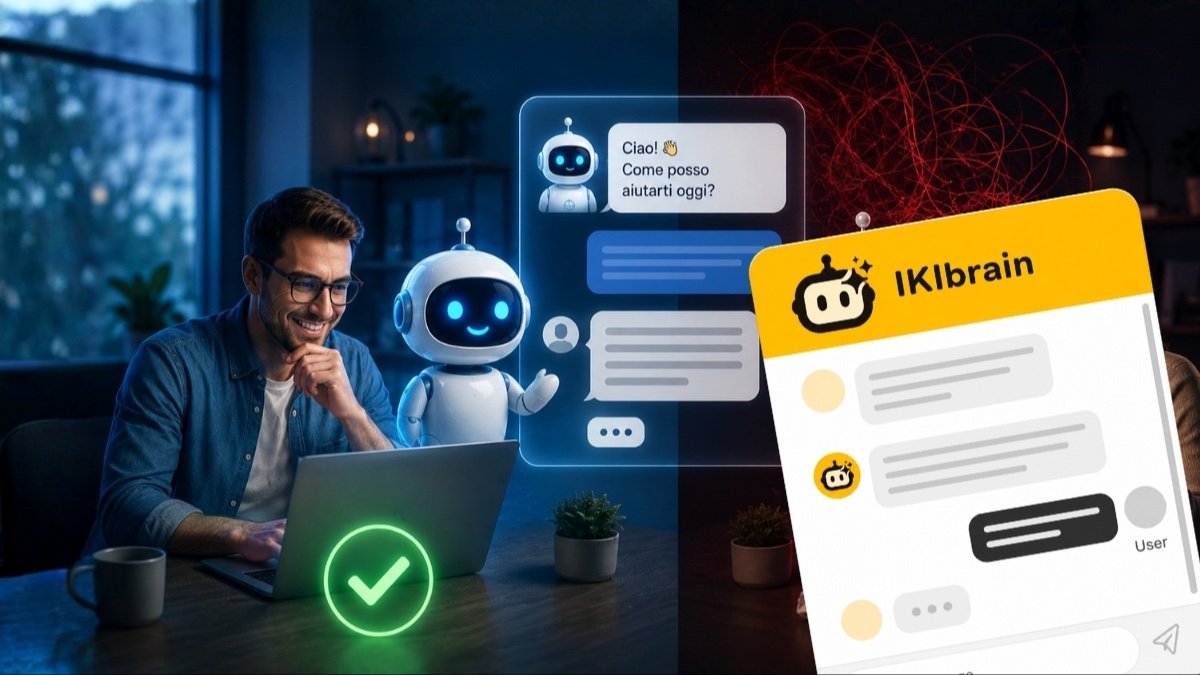
Many people think that using AI for customer care means one thing only: putting an AI chatbot on the website and letting it answer everything. It is a common belief, but it is also the fastest way to end up with weak answers, confused customers, and more cleanup work later.
The point is not to “use artificial intelligence” in the abstract, but to decide carefully what to entrust to it, with which information, and how far it should go. If those boundaries are unclear, customer support may look fast on the surface but end up fragile and ineffective when it really matters.
This is not a topic reserved for large companies. In fact, the AI adoption gap between big businesses and small businesses is still wide, and customer care is often the first area where a small business can catch up with a modest investment and see a measurable result within a few weeks.
In this article, we look at the most common mistakes to avoid before putting a virtual assistant online for customer care: which requests it can handle well, where it should stop, why content matters more than the novelty effect, and how to keep the human handoff in place when needed.
Customer care with AI: what really changes
The most concrete difference is this: customer support no longer sits there waiting for a phone call or an email. It is active 24/7, right when the customer is browsing your website, reading a product page, comparing an offer, or looking for an answer before leaving.
For a small business, that means being available outside business hours too, without forcing visitors to search for a contact form or wait until the next day for a reply. If you run a professional practice, a specialty shop, or a service business, many questions always come back to the same points: pricing, service areas, documents needed, timing, and how things work.
AI in customer care works well when it catches those requests in real time. It does not replace the human relationship altogether: it moves the first layer of response forward, automating the initial contact, which is usually the most repetitive and immediate part.
First mistake: asking the virtual assistant to do everything
An AI assistant performs best when it handles clear, frequent requests based on information already present in your content. The more defined the scope, the more reliable the answers.
That includes, for example, FAQs, information about products and services, procedures, opening hours, service areas, documents to prepare, differences between two solutions, and the steps to follow before a consultation or an on-site visit. Website navigation is useful too: if a customer cannot find a page, the AI assistant can guide them to the right destination in seconds.
In many small businesses, this mainly reduces repetitive requests, the ones that arrive every day in almost the same form. If you sell services, AI can clearly explain what is included and what is not. If you work by appointment, it can collect the initial request and explain how the follow-up works. If you have a catalog, it can help people understand which product or service is the best fit based on the information available.
In other words: AI takes over repetitive work for you, answering customers’ initial questions and clearing up the most common doubts. You get time back for the conversations that really matter.
What to give AI and what to keep with people
Before turning on any assistant, it is worth writing this split down. It is the fastest way to understand whether the project makes sense and how much work it really removes from your day.
What an AI assistant can handle well:
- FAQs and recurring questions;
- information about services, products, and procedures;
- opening hours, service areas, required documents, estimated timing;
- navigation across the website pages;
- collecting the first request and contact details.
What should stay with people:
- complex complaints and unhappy customers;
- negotiations, discounts, and commercial decisions;
- contracts, exceptions, and rule changes;
- sensitive topics or unclear situations;
- anything not covered by the knowledge base.
Where AI should stop
One of the most common mistakes is assuming artificial intelligence is also suitable for delicate cases. It is not, at least not on its own. Complex complaints, exceptions, customer tension, commercial decisions, contracts, out-of-process requests, or unclear situations must remain under human control.
If a customer disputes an invoice, reports a serious issue, or asks for an exception to a rule, you do not need an overconfident automated answer. You need to listen, acknowledge the limit, gather the context, and hand the case over to a person.
An AI assistant’s ability to recognize its own limits and operating scope is what makes the difference between a good chatbot and a bad one.
Answer quality depends on the information available
An AI assistant does not magically improve a website that is unclear. If the source information is incomplete, outdated, or inconsistent, the problem does not disappear: it simply shows up in chat.
That is why customer care quality depends first and foremost on the knowledge base. Website pages, PDFs, documents, FAQs, and internal text need to be updated, consistent, and easy to understand. If you change a procedure, a service, or an operating condition, the assistant needs to be updated too.
It is also the technical reason why an assistant built on your content behaves differently from a general-purpose model: it works in RAG, meaning it retrieves your documents before forming the answer instead of relying only on what it learned during training. If you want to understand the difference at the root, we have also published a simple guide to what an LLM is and how it reasons.
In the case of IKIbrain, for example, answers are based only on the real content you provide. That approach is useful precisely because it avoids improvisation: if an answer is not in the knowledge base, the assistant says so instead of filling in the gap.
Uploading documents is not enough: you need rules, tone, and boundaries
Another common mistake is thinking that handing over a few files is enough to get well-made customer support. Documents are the raw material, but by themselves they do not define how the assistant behaves.
You need to set at least three things: how it speaks, what it can answer, and how it behaves when a standard answer is not enough. A medical practice, a technical company, and a law firm cannot use the same tone. Likewise, not every topic should be handled with the same level of autonomy.
This is where configuration comes in, which in IKIbrain is the central part we take care of, working with each client to set up the best approach (within the limits of the chosen plan): tone of voice, boundaries, priorities, and handoff rules. If these are missing, the risk is ending up with an AI chatbot that is technically correct but not suited to the way you work. If you want to understand this better, you can explore how it works when an AI assistant is built on the real content of your business.
“I don’t know” is better than a wrong answer
In customer care, reliability matters more than cleverness. A virtual assistant that tries to answer everything may seem efficient for the first few seconds, but it loses credibility the moment it gets an important detail wrong. And a customer who receives incorrect information does not come back to check: they leave, or they arrive already convinced of something that is not true.
Saying “I don’t have enough information on this point” is not a failure. It is a form of transparency. For the customer, it means understanding right away that a human step is needed; for you, it means avoiding misunderstandings, unintended promises, and wasted time correcting wrong information.
AI customer care really works when it knows how to stop too. That is one reason why a system built on clear rules and verified content tends to be more useful in practice than one that tries to cover every scenario.
From chatbot to operational assistant: only when the right connections are in place
AI is often discussed as if it could read company data, update internal tools, and carry out operational actions automatically from day one. That is not how it works.
To move from simple replies to real operations, you need connections to the tools you actually use: CRM systems, e-commerce platforms, calendars, management software, or other systems.
It is worth being precise here, because this is where the most unrealistic expectations tend to arise. By default, IKIbrain collects customer requests and contact details and forwards them to you or your team: it does not manage appointments or connect to your systems on its own. Automated booking and appointment handling is possible through integration with your calendar or booking system, but only after configuration and feasibility checks based on the platform you use.
The same principle applies to other operational actions. If connected to third-party tools, an AI assistant can retrieve data or trigger useful steps in a fully automated way. But that is not something to assume by default: it depends on the configuration and the systems involved.
The handoff to a person should be designed in advance
One of the most damaging mistakes is treating human intervention as an improvised backup plan. In reality, the handoff to a human operator should be planned from the start, with clear criteria.
The assistant should know how to recognize certain situations: a request that is too specific, a tense tone, missing data, the need for a commercial decision, or a sensitive topic. In these cases, its job is not to keep pushing, but to collect the essential information and pass it to the right person.
When this handoff is done well, the person taking over does not start from zero. They already have the context, the question, the contact details, and often the reason the customer needs help. That is where AI really improves human work: not by replacing it, but by preparing it better.
Conversations become useful information for your business
A good customer care system does more than answer questions. It also helps you understand what customers are really asking, where they get stuck, and which website information is not working.
From conversations, you can draw very concrete insights:
- frequent questions that deserve a clearer page or a dedicated FAQ;
- unanswered requests that point to missing content;
- recurring doubts about pricing, timing, process, or service differences;
- friction points in the contact or buying journey.
This matters especially for small businesses, where owners often only notice problems once they have repeated too many times. A well-set-up AI assistant makes patterns visible that would otherwise stay scattered across phone calls, emails, and messages. That information is extremely valuable: within a few weeks, it tells you which pages to rewrite and which objections to address earlier in the sales process.
AI in customer care: automation without losing the human touch
In the end, the biggest mistake is framing the issue as a choice between people and artificial intelligence. In real customer care, it does not work that way. Repetitive, simple, and informational requests can be handled by a virtual assistant. Delicate, ambiguous, or high-stakes cases stay with people.
When that balance is clear, automation does not make the relationship colder. On the contrary, it frees up time where human attention really matters. If you want to evaluate which functions belong in an assistant like this, you can review the main features to consider.
Using AI for customer care makes sense not when you ask it to do everything, but when you let it do the things it is good at. The difference comes from reliable content, clear boundaries, and a carefully designed human handoff: that is how customer support becomes more present without becoming impersonal.
Want to see whether it makes sense for your business? Take a look at how IKIbrain works or get in touch: we can review together which requests you can truly automate and which ones are better left to people.
Frequently asked questions
Can artificial intelligence replace human customer care?
No, and that is not the goal. An AI assistant handles the first layer of response — FAQs, information about services and procedures, website guidance — while complaints, negotiations, exceptions, and sensitive cases stay with people. The value lies in the balance between the two, not in replacement.
Which requests are best handled by a virtual assistant?
Clear, frequent requests already covered by your content: FAQs, opening hours, service areas, required documents, differences between services, and the steps to follow before a consultation. These are the questions that come in almost unchanged every week and currently take up more time than they are worth.
What happens if the chatbot does not know the answer?
It should say so. A well-configured assistant states its limit, collects the essential information, and passes the conversation to a person instead of generating a plausible but invented answer. A wrong answer costs far more than an “I don’t know.”
Can an AI assistant handle bookings and appointments?
Not by default. IKIbrain collects requests and contact details and forwards them to you or your team. Automated appointment and booking handling is possible through integration with your calendar or booking system, after configuration and feasibility checks.
How important is website content for answer quality?
It is the deciding factor. The assistant answers only based on the information you provide: if pages, PDFs, and FAQs are incomplete or outdated, the gaps will show up in chat. Before turning the assistant on, it is worth fixing the knowledge base first.